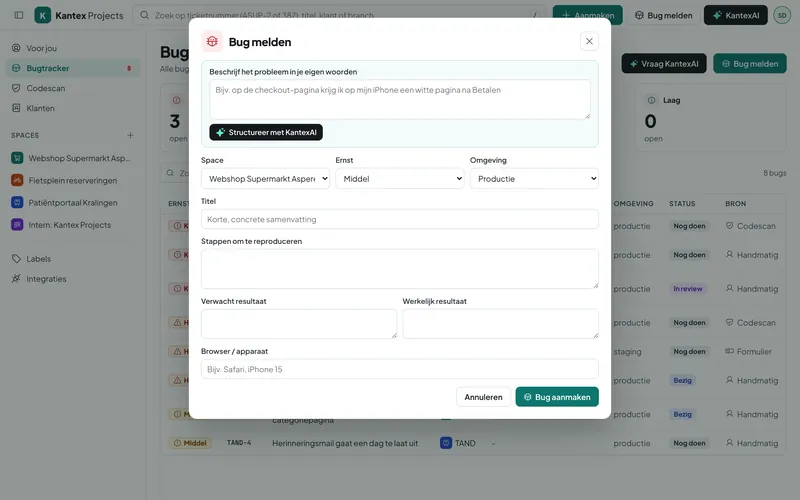
A fixed place to report bugs
Your client logs in with a link in their email and reports the bug in their own space. They fill in the severity, environment and steps, or describe it in their own words.
KantexAI turns it into a bug report
A report like "the button doesn’t work" becomes a bug report with steps, expected and actual result. KantexAI also points out which information is still missing, so you can ask targeted follow-up questions.
Straight onto your team’s board
The bug appears on the board immediately, with the client label attached. Your team picks it up and the client sees the status change.
The client follows progress themselves
In the portal, the client sees where their tickets stand and can respond. That saves emails and phone calls asking how things are going.
Checklist: what to look out for
Compare systems on these points. Ask every supplier whether it comes as standard in the plan.
| Point | Kantex | Other systems |
|---|---|---|
| Clients report bugs themselves | Ask | |
| Fixed fields for severity and environment | Ask | |
| KantexAI fills in the gaps | Ask | |
| Straight onto the board | Ask | |
| Client sees the status | Ask | |
| Replying to tickets | Ask |